
Audio
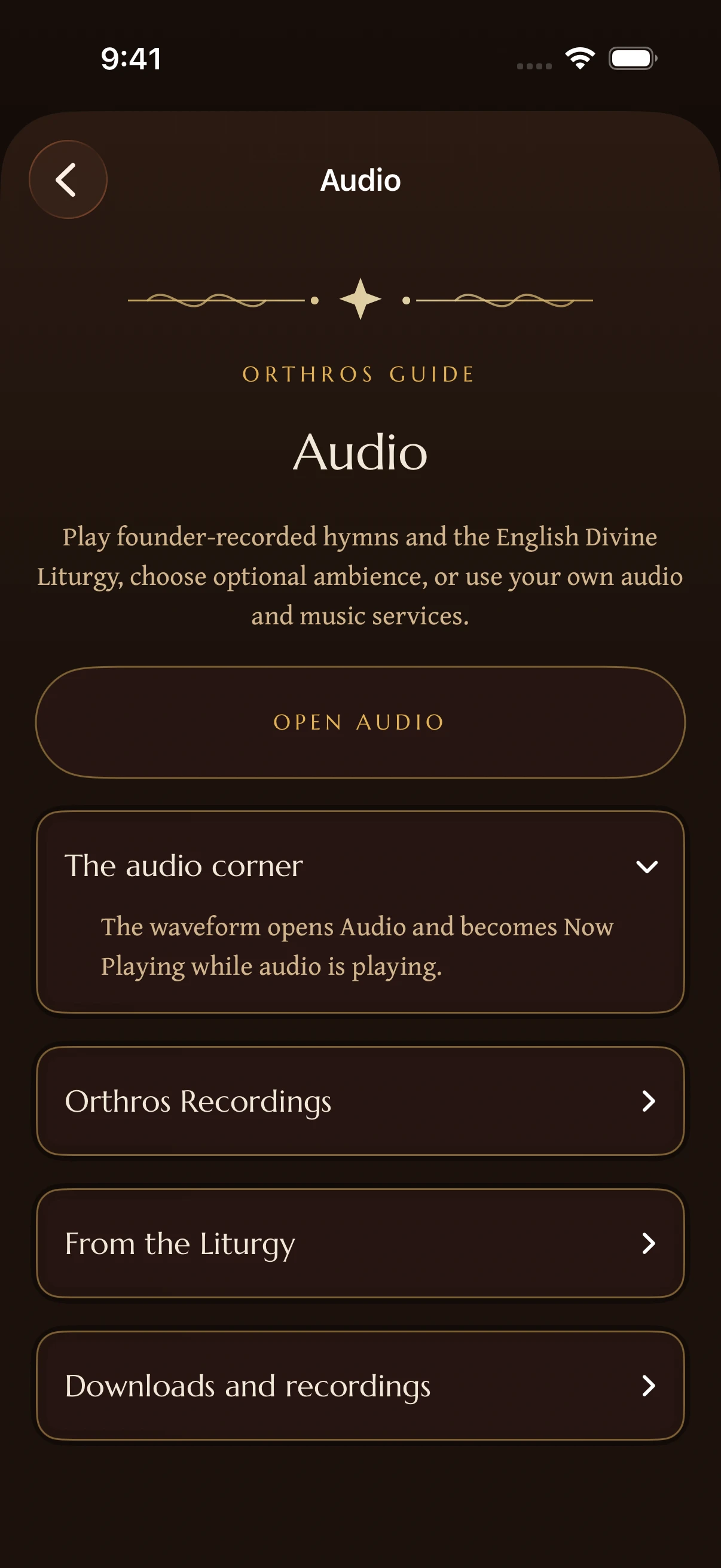
Open Audio to browse Orthros recordings, ambience, downloads, and your own audio. Music services are optional and keep their own availability and account requirements.
Orthros Recordings
Open Audio, then Orthros Recordings, for founder-recorded hymns and services that are included with Orthros. Choose a recording to read its details, source, and text before you begin playback.
The English Divine Liturgy recording is 56 minutes and 49 seconds long. Open it as one continuous service with 25 chapter landmarks, or choose one of the 25 individual sections. The walkthrough explains where the selected part belongs in the service. Choosing a chapter or section seeks to the intended place, and Cancel leaves the current playback unchanged.
Starting another recording plays the collection as a continuous playlist. Compact playback controls provide pause, next, previous, shuffle, and repeat. The catalog reloads when you return to Orthros Recordings after leaving the screen. The Divine Liturgy, the Ninth Ode, and The Praises use coordinated Day and Vigil artwork.
From the Liturgy
From the Liturgy contains five free hymns recorded by the founder of Orthros at Annunciation Greek Orthodox Cathedral in Chicago. Open a hymn to read its text, see its source, and play or download the recording. Day and Vigil appearance use coordinated artwork for the collection and each hymn.
The recordings work with Now Playing and CarPlay on supported devices. Downloaded hymns remain available offline on the device that downloaded them.
Open the audio controls
Tap the waveform control to open Audio. Choose a category, then an available recording or ambience. When sound is playing, the control becomes Now Playing. Open it to pause or adjust playback.
A title in the library does not by itself mean a recording is available. Use the availability shown for that item. Reading prayer and Scripture texts does not require an audio subscription.
Ambience and effects
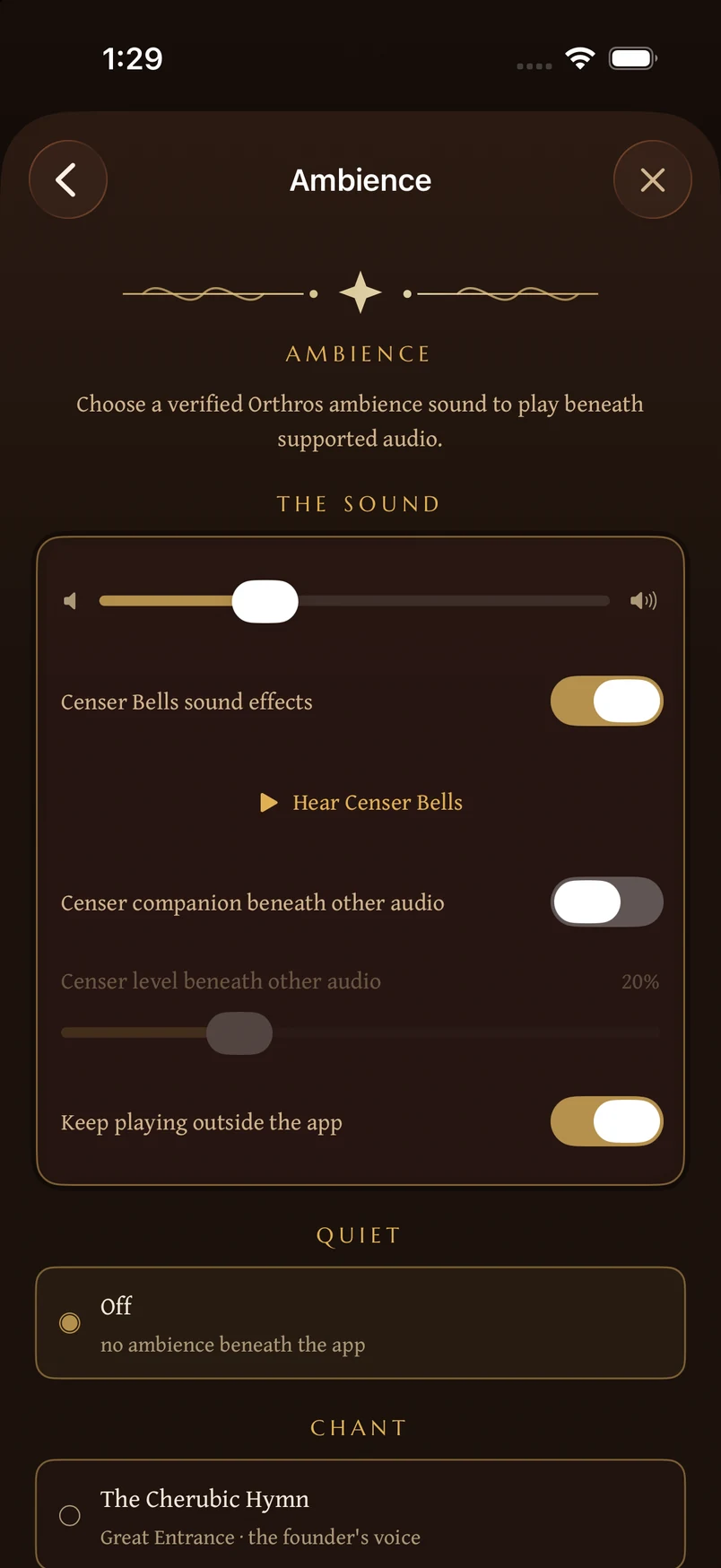
Open Your Lamp, then the sound or ambience settings, to adjust background sound, volume, Bell, and Censer. The player also holds playback and timer controls.
Communion Quiet is an optional chant bed. Fresh installations begin in silence, so choose Communion Quiet only when you want it. Opening Help never starts a new sound or changes a sound preference.
Downloads
Downloaded Orthros audio is stored on the device that downloaded it. A TestFlight installation on another device does not currently receive those files automatically.
Personal recordings
Personal recordings belong to the person who made or imported them. They are kept separate from Orthros' sourced Church library. Current TestFlight installations do not share recording files, titles, or shelves between iPhone, iPad, and Mac.
Audio rights and source boundaries
Orthros recordings and optional music-service results are separate sources. An Apple Music or Spotify result may require that service and its own account. Follow the source link and availability shown for the item.
You can use your own recordings and Orthros downloads without linking a music account. Import only audio you are entitled to use. For the app’s licensing approach, see Sources and licensing.
Quick reference
- Orthros Recordings includes the full English Divine Liturgy with 25 chapters and 25 individually playable sections.
- The walkthrough explains where a selected part belongs in the service.
- Compact controls keep pause, next, previous, shuffle, and repeat available.
- From the Liturgy contains five free hymns with text, sources, playback, and downloads.
- The waveform opens Audio; Now Playing opens the current playback controls.
- Communion Quiet is optional, and fresh installations begin in silence.
- Downloads are specific to the device where you downloaded them.
- Personal recordings can be imported from Files. Music services are optional.
Didn’t find what you needed? Contact support.